Text alerts
Inbox Watcher can text you when an email arrives from a sender or domain on your watch list, and before a deadline you've added is due, before, after or instead of calling you. This page describes that program.
How you opt in
After connecting Gmail, you add your mobile number under "Where to reach you" in your Inbox Watcher account and tick this box, which is never pre-checked:
This is the account screen where you add your number and opt in:
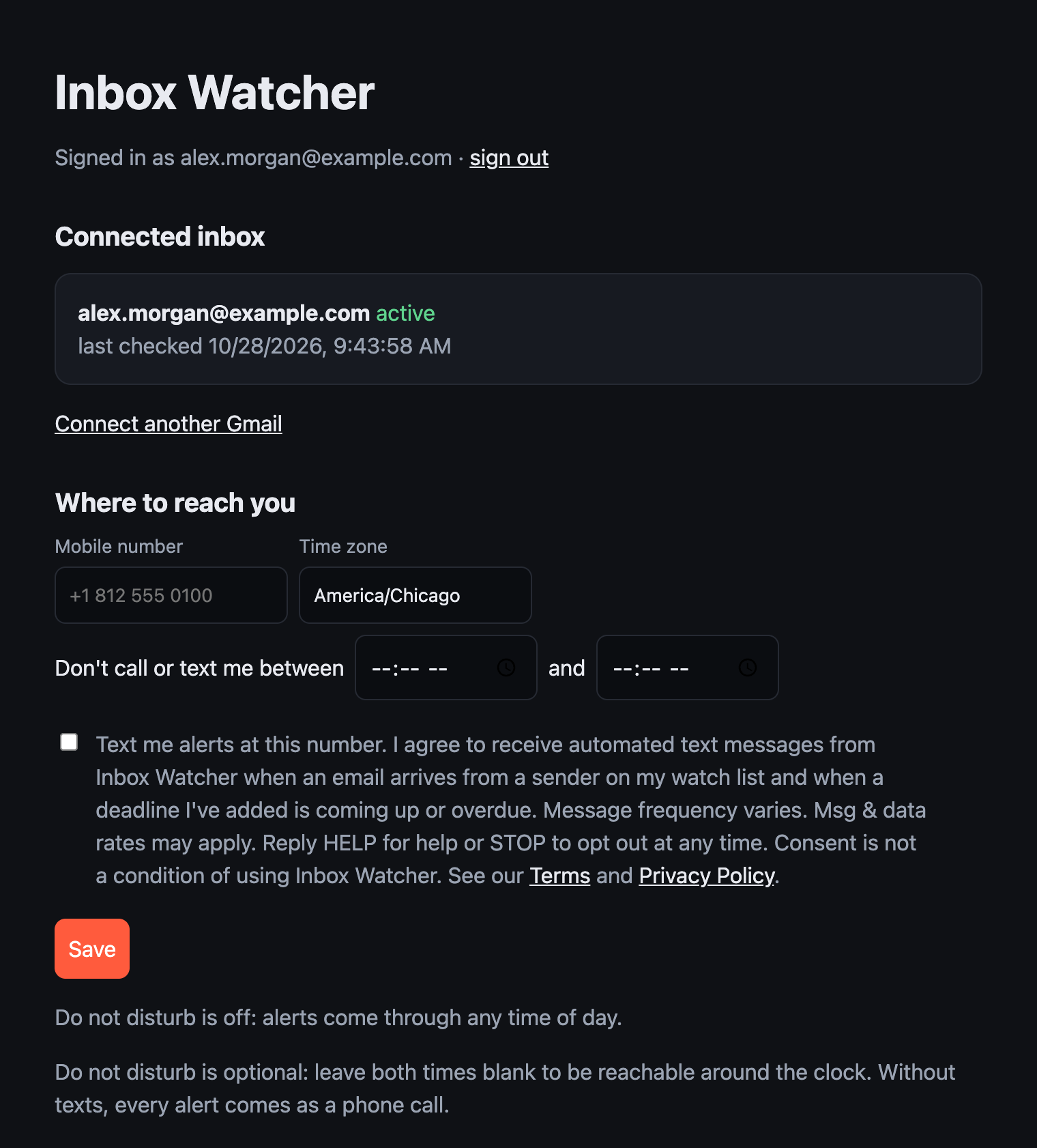
If you leave it unticked we never text you; alerts arrive as phone calls instead. Changing your number clears the box until you tick it again.
What we send
One text per matching email, for example:
Inbox Watcher alert. New email from Jane Smith. Subject: Signed lease attached. Reply to confirm you've seen it. Reply STOP to opt out.And one text per deadline reminder you schedule, for example:
Inbox Watcher deadline reminder. Loan packet to the bank is due tomorrow at 5 PM. Reply OK if you've seen it, or DONE when it's finished. Reply STOP to opt out.Message frequency varies with how often the senders you watch email you and how many deadline reminders you set. We never send marketing or promotional texts.
Replies
Depending on how you set up each sender or deadline, replying to an alert or tapping its link confirms you've seen it and stops any follow-up calls. DONE marks a deadline finished and stops its remaining reminders. HELP returns contact information. STOP ends all texts immediately; START turns them back on.
The fine print
Program: Inbox Watcher alerts. Sent from (833) 619-2824. Msg & data rates may apply. Carriers are not liable for delayed or undelivered messages. Help: support@inboxwatcher.com. Operated by Remedy Center LLC, 125 S 2nd St, Boonville, IN 47601.